Floor Cleaning Robots
Our floor cleaning robots are equipped with cutting-edge AI navigation systems and powerful suction technology. These intelligent machines can vacuum, mop, and sanitize your floors automatically, giving you more time to focus on what matters most. Whether you have hardwood, tile, or carpet flooring, our floor cleaning robot solutions adapt to your home's unique needs.
Nexora AI Floor Robot
Advanced Robot Vacuum & Mop with AI Navigation System. Features 5200Pa hyper suction, self-emptying dock with 7-week capacity, and intelligent carpet detection. The ultimate floor cleaning robot for Indian homes.
Pre-booking: ₹79,990
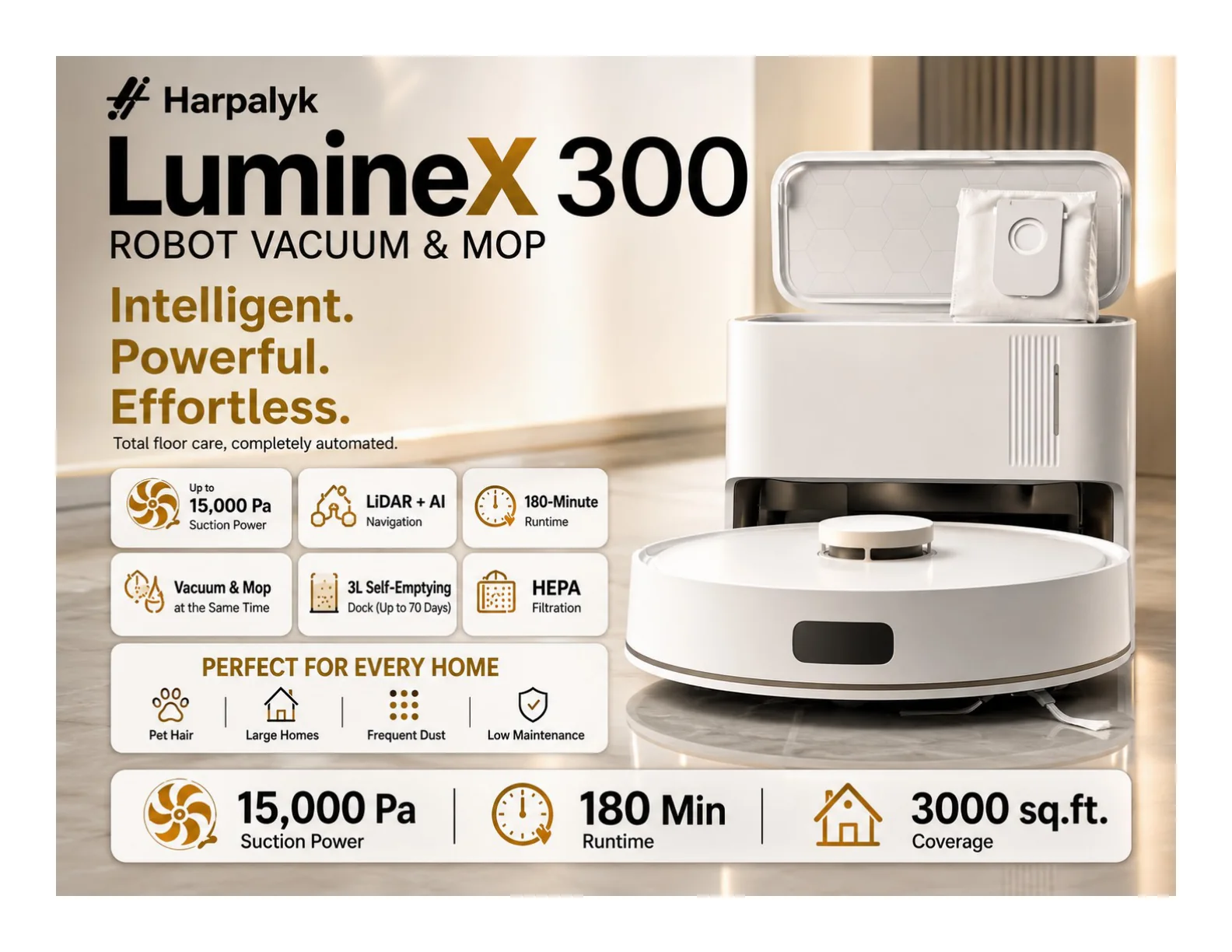
Luminex AI Floor Robot
AI-powered robotic vacuum with LiDAR navigation, 5000Pa suction, and 60-day auto dust disposal. Smart app control for scheduled cleaning makes this cleaning robot perfect for busy households.
₹39,990
Otto A1 Pro
3-in-1 sweep, vacuum, and mop system with electrolytic mopping technology. An affordable entry into automated floor cleaning for every Indian home.
₹19,990
HygienX AI Plus
Smart hygiene-focused floor cleaning robot with HEPA filtration and UV sterilization. Ideal for allergy-prone households and families with children.
₹49,990
All our floor cleaning robots in India come with comprehensive warranty coverage, dedicated customer support, and free installation services. Our robots are specifically designed and tested for Indian conditions including dust, humidity, and varied floor types.
Window Cleaning Robots
Keep your windows spotless with our intelligent window cleaning robots. These innovative devices use advanced suction technology and smart navigation to clean glass surfaces safely and efficiently, even at height. Our window cleaning robot eliminates the need for dangerous ladder work.
ShineBot C2
Smart window cleaning robot with intelligent water spray system and 3000 Pa suction power. Works on framed and frameless glass surfaces with anti-fall protection. Perfect for high-rise apartments and commercial buildings.
₹45,999
Our window cleaning robot technology ensures streak-free results every time. Perfect for high-rise apartments, commercial buildings, and homes with large glass surfaces across India.
Lawn Cleaning Robots
Transform your outdoor space with our autonomous lawn cleaning robots. These AI-powered mowers handle grass cutting, debris collection, and lawn maintenance without any manual intervention. Experience the future of lawn care with Harpalyk's intelligent outdoor solutions.
Harpalyk Greenova 5.0
India's first RTK + AI Vision lawn robot with centimeter-level accuracy. Handles 55% slopes and provides autonomous mowing for estates, farms, and corporate campuses. The most advanced lawn robot available in India.
₹2,69,990
The Greenova series represents the future of lawn care in India. With weather-resistant construction, intelligent obstacle avoidance, and app-based scheduling, maintaining a perfect lawn has never been easier.
Commercial & Service Robots
For businesses and large facilities, Harpalyk offers industrial-grade commercial cleaning robots and service robots designed for high-traffic environments. Our commercial solutions deliver consistent cleaning performance while significantly reducing operational costs.
Escargot Commercial Floor Robot
Commercial cleaning robot designed for large spaces, malls, airports, hospitals, and industrial facilities. Heavy-duty construction with extended battery life for continuous operation.
₹11,99,900
Robo Dressel Pool Robot
Ultra-efficient pool cleaning solution with tri-motor system. Cleans floor, walls, and stairs with 3500 sq. ft. coverage. Professional-grade service robot for pool maintenance.
₹2,89,990
Robo Titan Pool Cleaner
Ultimate robotic pool cleaner with 350W power and 1800m² coverage. Twin drive motors with dual water pump filtering system for commercial pools.
₹4,50,000
Our service robots and commercial cleaning robots are trusted by hotels, hospitals, shopping centers, and corporate offices across India. With 24/7 autonomous operation capability and remote monitoring, they provide reliable cleaning solutions for demanding commercial environments.
Why Choose Harpalyk
Harpalyk stands out as India's premier destination for cleaning robots in India and automation solutions. Here's what makes us the trusted choice for thousands of customers:
- Made for India: All our robots are designed and tested specifically for Indian conditions, including dust, humidity, voltage fluctuations, and varied floor types found in Indian homes.
- AI-Powered Intelligence: Advanced machine learning algorithms ensure efficient cleaning paths, smart obstacle avoidance, and continuous improvement over time.
- Comprehensive Service Network: Pan-India service support with dedicated technicians, genuine spare parts availability, and quick turnaround times.
- Industry-Leading Warranty: Extensive warranty coverage with responsive customer service and hassle-free claims process.
- Eco-Friendly Technology: Energy-efficient designs with sustainable materials and recyclable components for a greener future.
- Flexible Payment Options: Easy EMI plans, credit card payments, and financing options available for all products.
Whether you're looking for a floor cleaning robot for your home, a window cleaning robot for your office building, or commercial cleaning robots for your business facility, Harpalyk has the expertise, product range, and service support to meet your automation needs.
Air Purifiers
Complete your smart home ecosystem with Harpalyk's range of intelligent air purifiers. Our air purification systems work alongside cleaning robots to create a healthier, cleaner living environment for your family.
HL-AP25 Plus Air Purifier
Advanced air purification system with HEPA filtration, smart air quality monitoring, and whisper-quiet operation. Perfect for homes, offices, and bedrooms across India.
₹30,499
Robot Accessories
Keep your cleaning robots running at peak performance with genuine Harpalyk replacement batteries. All our batteries are Made in India with CE & RoHS certification for safety and reliability.
Li Ion Battery 5200mAh ⭐ Recommended
High-capacity professional Li-Ion battery for extended cleaning sessions. 5200mAh - 2x runtime vs standard. Perfect for large homes and commercial use.
₹5,800 MRP: ₹6,900
Li Ion Battery 3200mAh
Premium Li-Ion replacement battery for Harpalyk floor robots. 3200mAh capacity with 500+ charge cycles. Universal compatibility.
₹4,900 MRP: ₹5,490
Li Ion Battery 2600mAh
Standard replacement Li-Ion battery for everyday cleaning. 2600mAh - Lightweight with BMS protection. Perfect for apartments and small homes.
₹4,500 MRP: ₹4,990